Figuring MAC
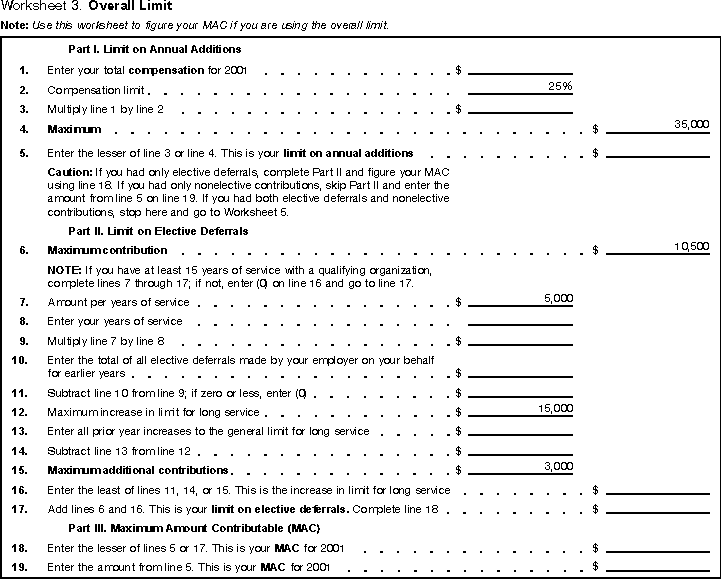
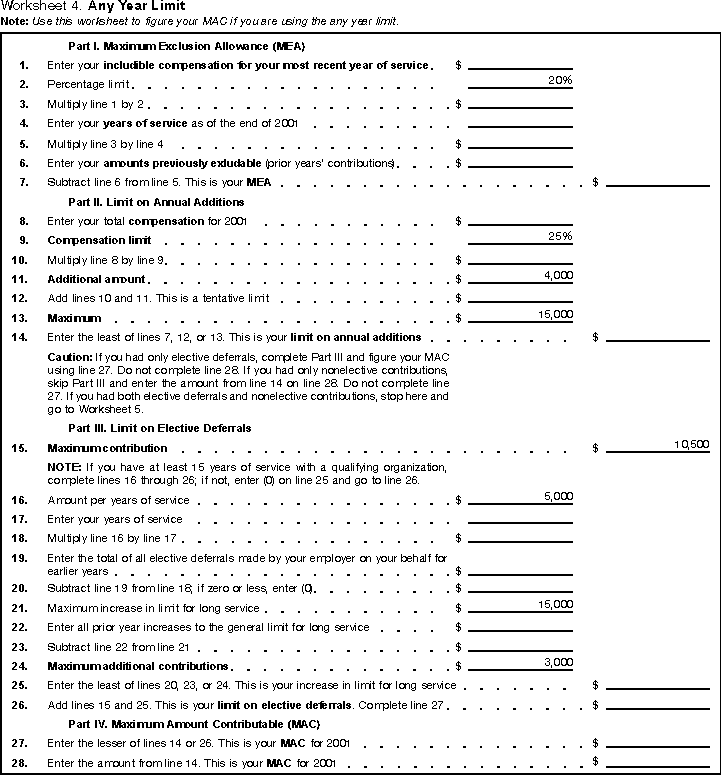
If your compensation is the same as, or more than, the projected amounts and the calculations are correct, then you should simply file these worksheets with your other tax records for the year. If your compensation was lower than your estimated figures, you will need to check the amount contributed during the year to determine if contributions are more than your MAC. When Should I Figure MAC?At the beginning of each year, you should figure your MAC using a conservative estimate of your compensation. Should your income change during the year, you should refigure your MAC based on a revised conservative estimate. By doing this, you will be able to determine if contributions to your 403(b) account should be increased or decreased for the year. Figuring MAC for the Current YearIf you are figuring your MAC for the current year, you should use a conservative estimate of your compensation. If you can figure your MAC for 2001 using one of the three alternative limits, you should figure your MAC using both the selected alternative limit and the general limit.
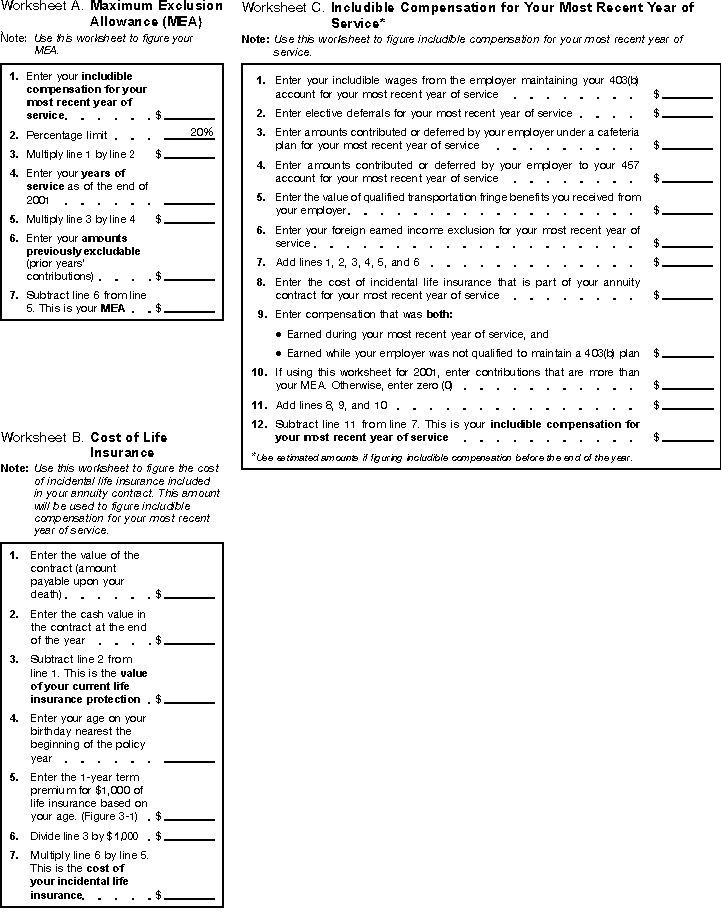
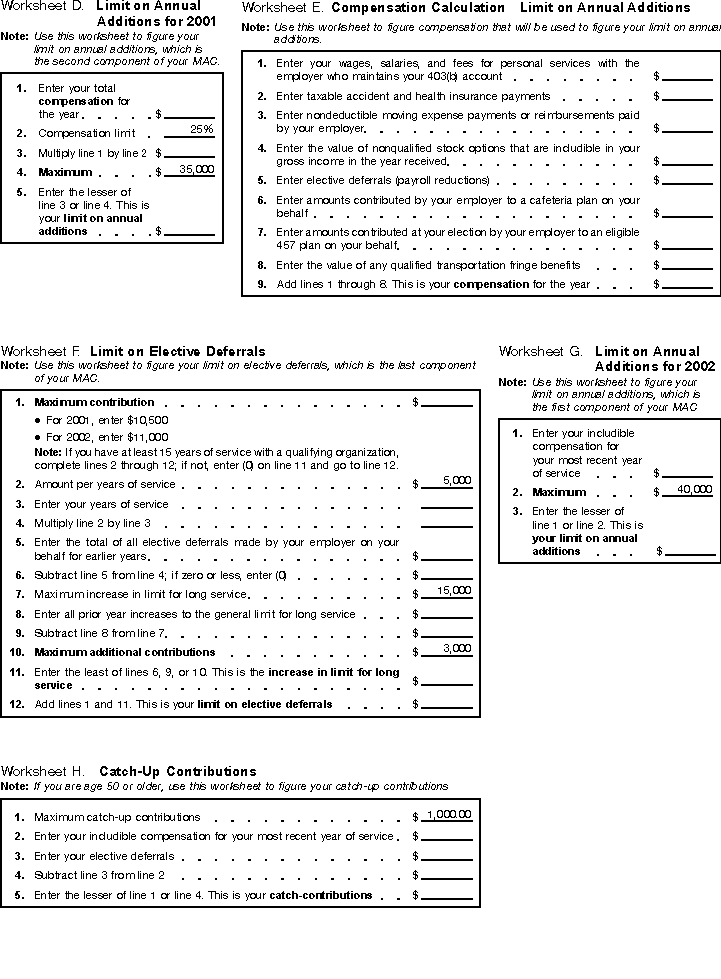
Checking the Previous Year's ContributionsAt the beginning of the following year, you should refigure your MAC based on your actual earned income. At the end of the current year or the beginning of the next year, you should check your contributions to be sure you did not exceed your MAC. This means refiguring your limit based on your actual compensation figures for the year. This will allow you to determine if the amount contributed is more than the allowable amounts, and possibly avoid additional taxes. Available WorksheetsThe following worksheets have been provided to help you figure components of your MAC.
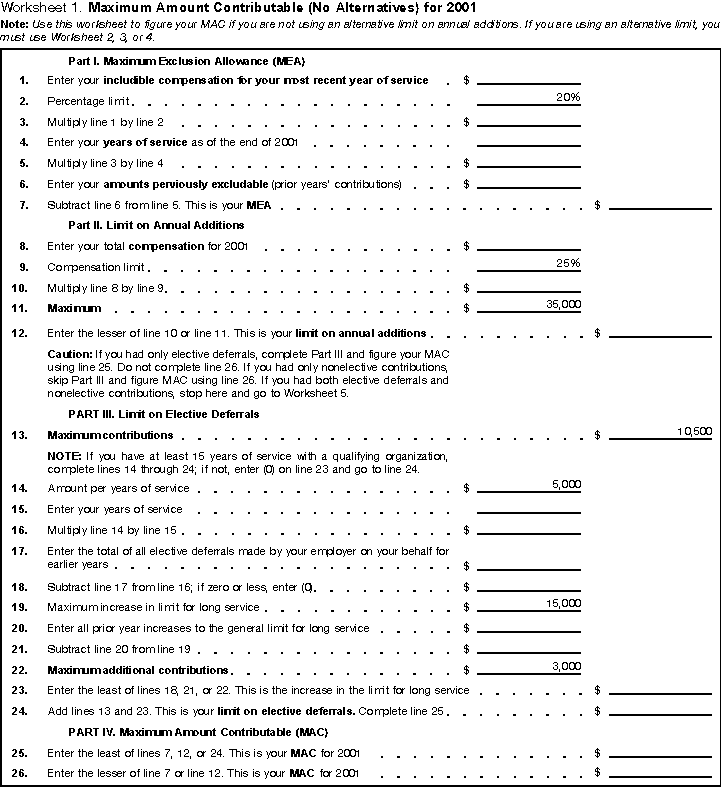
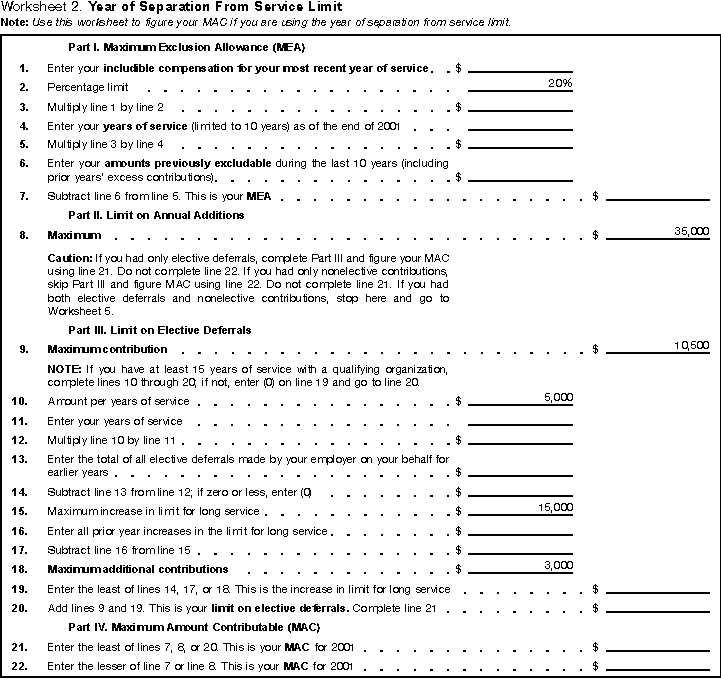
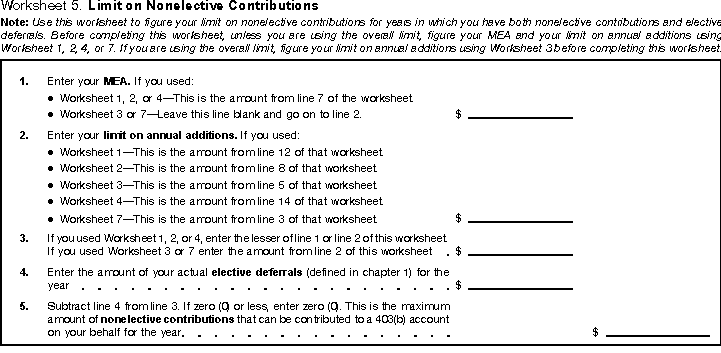
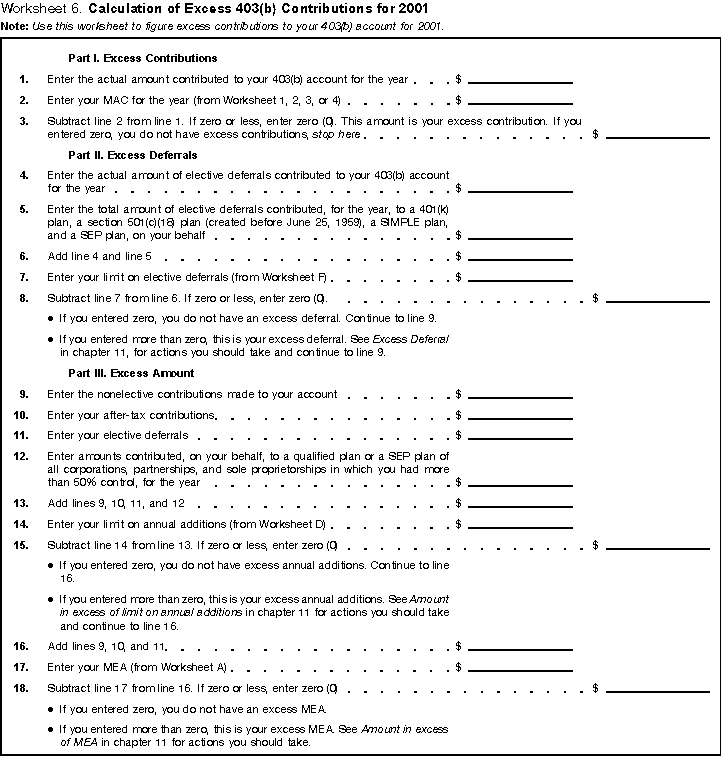
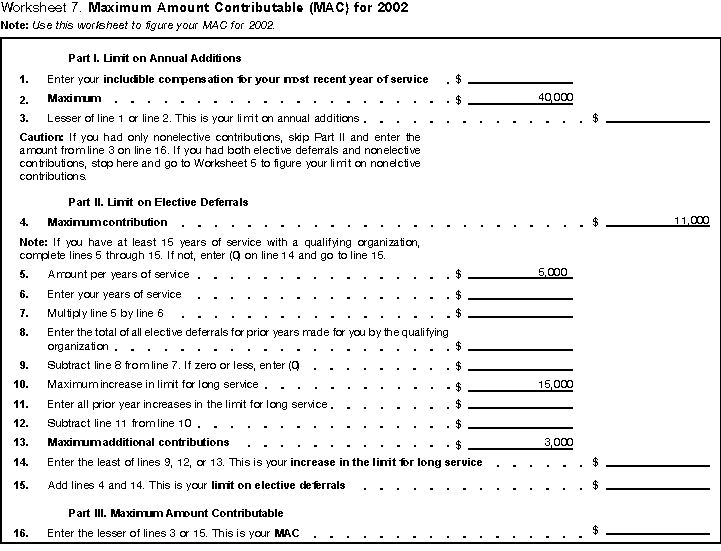
Worksheets 1 through 5, and 7 will help you figure MAC. Worksheet 6 will help your determine if you have excess contributions.
Worksheet 1 - Maximum Amount contributable (no alternatives) for 2001
Worksheet 2 - Year of Separation from Service Limit
Worksheet 5 - Nonelective Contributions
Worksheet 6 Calculation of Excess 403(b) Conributions
|
 After completing the worksheets, you should maintain them with your 403(b) records for that year. Do not attach them to your tax return. At the end
of the year or the beginning of the next year, you should compare your estimated compensation figures with your actual figures.
After completing the worksheets, you should maintain them with your 403(b) records for that year. Do not attach them to your tax return. At the end
of the year or the beginning of the next year, you should compare your estimated compensation figures with your actual figures.
 Before selecting an alternative limit, read Chapter 6, Alternative Limits on Annual Additions.